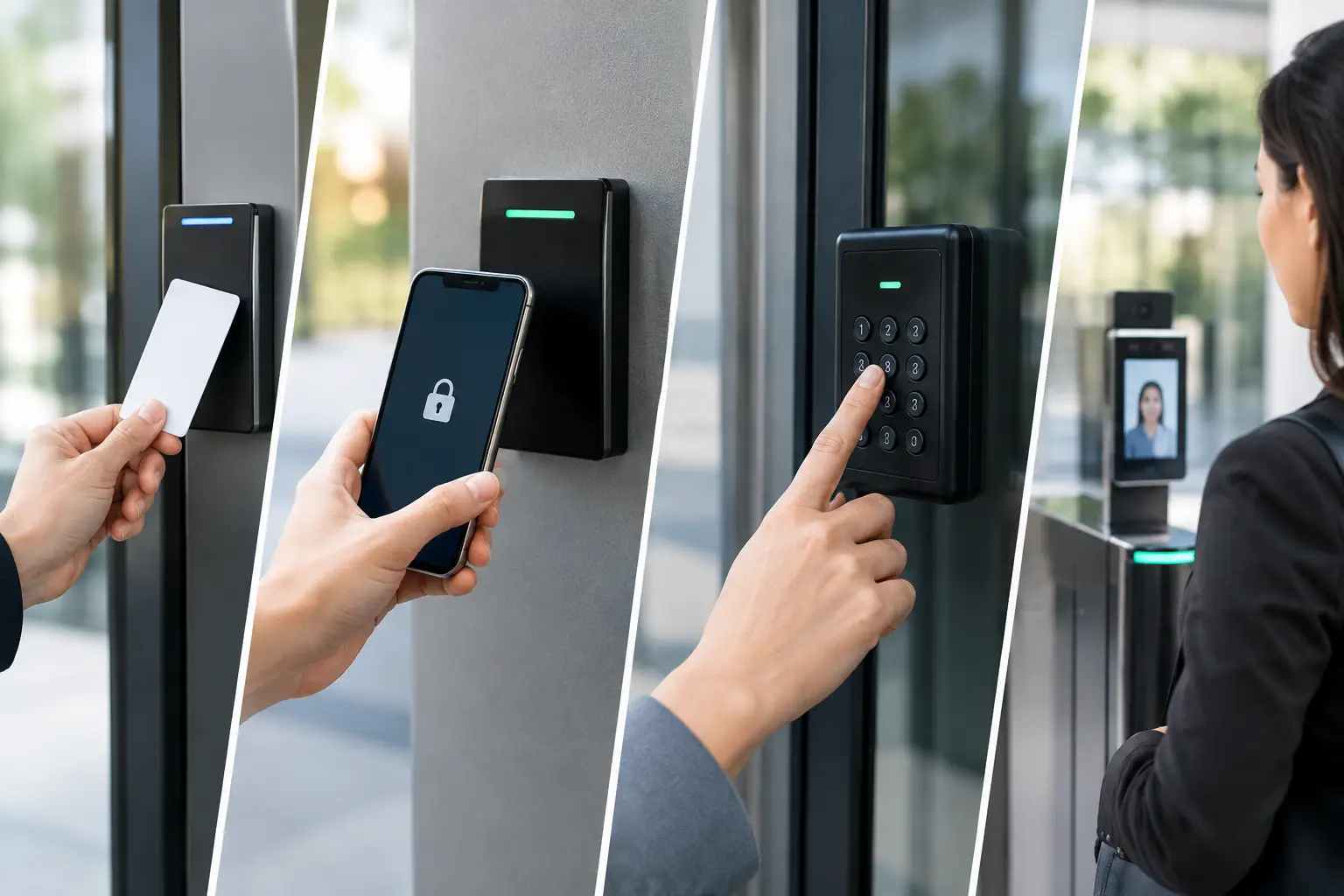
A lost master key creates a simple but expensive problem: either accept the risk or rekey every affected door. That is why an access control comparison should start with daily operations, not product features. The right system lets the right people enter the right areas, records activity when needed, and gives an owner or manager a practical way to respond when staff, tenants, vendors, or access needs change.
For a homeowner, that may mean controlling the front gate, garage, and side entry from one app. For a property manager, it may mean issuing temporary credentials to vendors without handing out physical keys. For a business or facility operator, it means setting schedules, protecting sensitive areas, and removing access immediately when an employee leaves.
Access Control Comparison: Start With the Door and Workflow
The best system depends on the door, the people using it, and how often permissions change. A single exterior gate has different requirements than a multi-suite office, a condominium amenity room, or a warehouse with several employee entrances.
Start by identifying which doors require controlled entry and what happens at each one. Consider whether the door is used by residents, employees, visitors, deliveries, cleaners, contractors, or after-hours staff. Also determine whether the opening is interior or exterior, whether it must meet fire and life-safety requirements, and whether it needs to remain operational during an internet outage or power loss.
A good design also considers the hardware already in place. Some doors can accept an electric strike or electrified lever. Others may require a magnetic lock, a gate operator interface, a request-to-exit device, door position monitoring, or new commercial-grade hardware. Access control is not only a reader mounted beside a door. It is a coordinated system of credentials, locks, power, wiring, controls, and programming.
Mechanical Keys vs. Electronic Access Control
Traditional keys remain common because they are familiar, inexpensive, and do not require software. They can be appropriate for a low-traffic residence or a closet with limited access needs. The weakness is accountability. A key can be copied, passed to another person, or retained after someone moves out or leaves a job. If a key is lost, the lock cylinder may need to be rekeyed or replaced.
Electronic access control changes the process. Instead of replacing locks after every access change, an administrator can add, disable, or adjust a credential. Depending on the system, it can also maintain an event history showing which credential was presented at a door and when. That record is useful when investigating an incident, verifying vendor access, or resolving questions about after-hours entry.
Electronic systems cost more upfront because they require equipment, installation, and configuration. They also require someone to manage users and policies. For properties where access changes regularly, the time savings and better control often justify the investment. For a door that rarely changes hands, mechanical hardware may still be the practical choice.
Keypads: Simple Access Without a Physical Credential
A keypad requires users to enter a PIN. It is often a practical option for a residential gate, a staff entrance, or a shared utility area where users may not want to carry a card or fob. Codes can be assigned to individuals, groups, or temporary visitors.
The trade-off is that PINs can be shared or observed. A single shared code provides little accountability because the activity record cannot identify the person who used it. Individual codes improve oversight, but they must be changed or removed promptly when access needs change. Keypads also need thoughtful placement and weather-rated equipment for Florida exterior conditions.
Cards and Fobs: Familiar and Cost-Effective
Proximity cards and fobs are standard choices for offices, multifamily properties, schools, and commercial facilities. They are easy to issue, easy to replace, and generally quick for users to understand. A fob can be convenient for a tenant or employee who already carries keys, while cards fit easily into a badge holder or wallet.
Cards and fobs offer a strong balance of cost, speed, and reliability. Their main limitation is that a credential can be lost, loaned, or stolen. That risk is manageable when administrators disable missing credentials quickly and use individual assignments rather than shared fobs.
For larger properties, choose credential technology that fits the security level and the long-term plan. Older card formats can be easier to duplicate than newer encrypted credentials. The lowest equipment cost is not always the lowest long-term risk.
Mobile Credentials: Convenient for Changing Access Needs
Mobile access uses a smartphone as the credential. Users may tap a reader, present their phone nearby, or use an app-based method depending on the system. This approach reduces the need to distribute and collect physical cards, which is useful for growing teams, managed properties, and sites with frequent visitors or contractors.
Mobile credentials are especially useful when access must be issued quickly. A manager can send a credential before a new employee arrives or provide time-limited entry for a vendor. Users also tend to notice quickly when their phone is missing, which can reduce the window of exposure compared with a lost fob.
However, mobile access depends on user adoption, phone compatibility, and clear administrative processes. Some users prefer a physical backup credential. A well-planned system can support both, avoiding disruption when a phone battery dies, a device is replaced, or a visitor does not use the required app.
Biometrics: Higher Assurance, Higher Responsibility
Biometric readers use characteristics such as a fingerprint, face, or palm to verify identity. They can reduce the problem of credential sharing because a person cannot simply hand their fingerprint to someone else. This makes biometrics useful for high-security rooms, restricted inventory areas, data closets, laboratories, and other locations where confirming the person matters more than moving people through quickly.
Biometric access has trade-offs. It typically costs more, requires careful placement and enrollment, and can raise privacy concerns among employees or residents. Performance can also vary by reader type, lighting, weather exposure, gloves, and user behavior. Biometrics are usually best applied to selected high-value doors rather than every opening in a building.
Cloud-Managed vs. On-Premises Systems
The next part of an access control comparison is how the system is managed. Cloud-managed platforms allow authorized administrators to manage users, schedules, credentials, and reports through a browser or app. They work well for owners and managers who need oversight across multiple sites or want to make changes without being at the property.
Cloud systems commonly involve recurring software or service fees. Those fees should be evaluated alongside the value of remote administration, audit records, centralized reporting, and ongoing platform updates. Ask what functions remain available during an internet interruption and what happens if a subscription changes or ends.
On-premises systems keep more of the management environment local to the property. They can be a fit for facilities with internal IT resources, special compliance requirements, or a preference for local control. They may require more direct maintenance, software management, and network coordination. Neither model is automatically better. The right choice depends on the organization’s staffing, sites, budget, and tolerance for administrative work.
What a Complete Access Control System Needs
The reader is the visible part of the system, but reliable operation depends on the components behind it. A properly planned installation addresses the credential reader, controller, locking hardware, power supply, battery backup, cabling, exit devices, door contacts, and request-to-exit equipment. For exterior gates and doors, equipment ratings, cable protection, and exposure to heat, rain, and humidity matter.
Integration can add useful control when it serves a real operational need. A camera associated with a door can help verify events. An intercom or video door station can support visitor screening. A security system can receive alerts when a controlled door is forced open or held open. The goal is not to add every available feature. It is to create a system that staff can operate consistently and maintain without confusion.
Installation quality also affects future service. Clearly labeled controllers, documented door schedules, organized wiring, and accurate credential records make expansions and troubleshooting faster. This is particularly valuable for commercial properties where a failed door can interrupt business, create a safety issue, or leave an entrance unsecured.
Questions to Ask Before Selecting a System
Before approving a proposal, ask how credentials will be issued, removed, and tracked. Confirm who will administer the system, who receives alerts, how the system behaves during a power or internet outage, and whether the selected hardware works with the existing doors and exit requirements.
Also ask about recurring costs, warranty coverage, remote support, and expansion. A system that fits two doors today should not force a complete replacement when the property adds a gate, office suite, amenity space, or new location. For managed properties, define temporary access procedures for contractors and move-ins before the first credential is issued.
A practical access control plan does more than secure a door. It gives owners, managers, and residents a clear process for entry, exceptions, and changes. Start with the doors that create the most risk or administrative effort, then build a system that stays organized as the property changes.