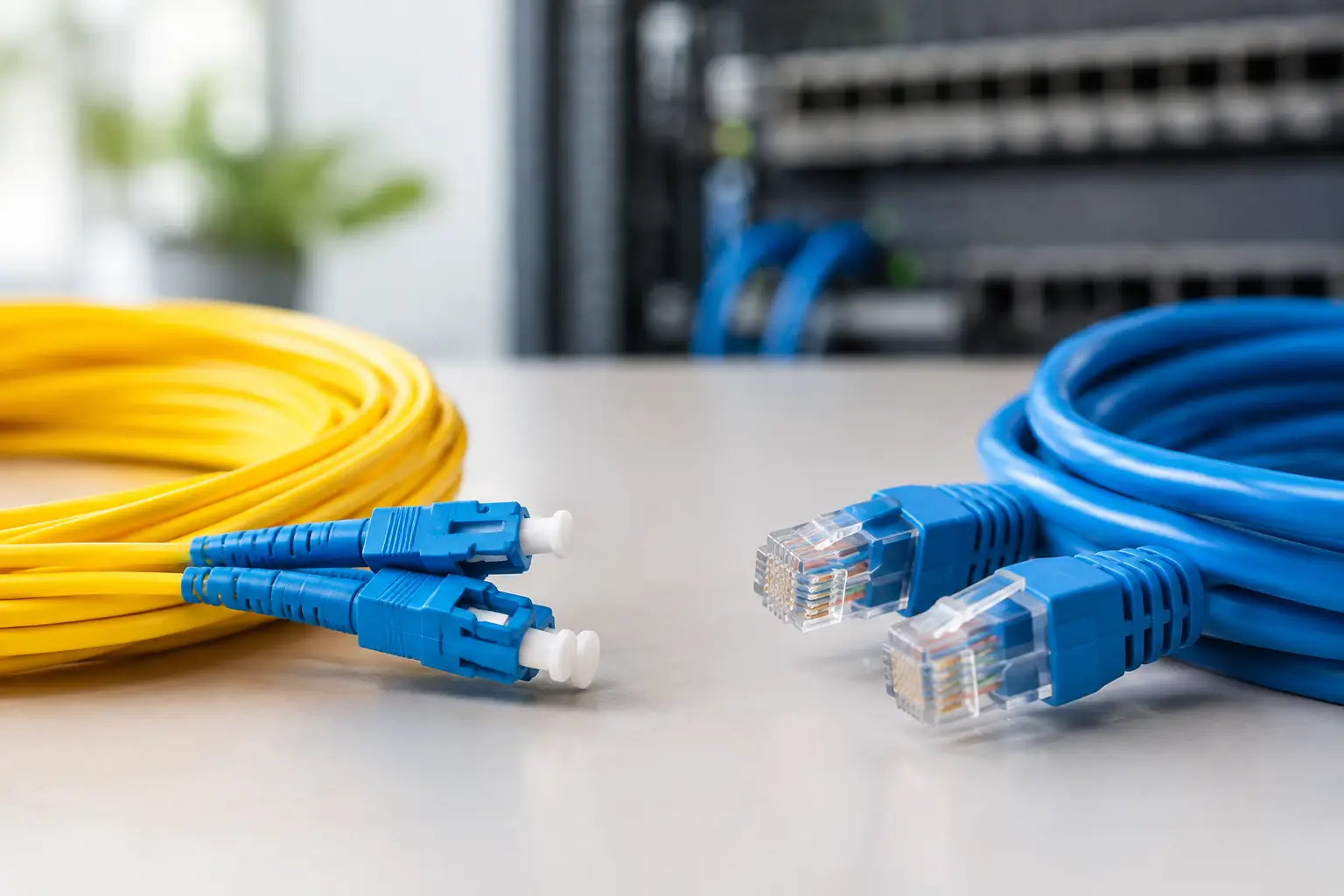
A camera at a front gate, a network switch in a detached office, and access control at a warehouse door may all need cabling. The right choice is not simply a matter of picking the newest technology. Fiber optic versus copper cabling comes down to what the connection must carry, how far it must travel, whether it needs to deliver power, and the conditions around it.
For homeowners, property managers, and business operators, this decision affects installation cost, system reliability, expansion options, and future service work. A properly designed low-voltage system often uses both cable types in different places. The goal is to put each one where it does its job best.
Fiber Optic Versus Copper Cabling: The Core Difference
Copper cabling sends electrical signals through metal conductors. It is the standard choice for most Ethernet connections inside homes, offices, retail spaces, and many security installations. Common categories include Cat5e, Cat6, and Cat6A.
Fiber optic cable sends data as light through glass strands. Because the signal is light rather than electricity, fiber can carry data much farther with less signal loss and is not affected by electromagnetic interference in the same way copper is.
That distinction matters in practical terms. Copper is usually the efficient choice for a nearby device that needs both data and power. Fiber is often the better choice for a long run between buildings, a distant gate, a campus perimeter, or an area with significant electrical noise.
Distance Changes the Decision
For standard Ethernet, copper cable is generally designed for channel distances up to 100 meters, or about 328 feet. That is enough for many interior installations, including security cameras, Wi-Fi access points, smart TVs, intercoms, network drops, and access control panels.
Once a run exceeds that distance, copper may require added equipment, intermediate switches, or a different network design. Each additional device introduces a power requirement, a possible failure point, and another item to manage during service.
Fiber handles longer distances much more effectively. Multimode fiber is commonly used for high-speed connections within larger buildings or across a property. Single-mode fiber is typically selected for much longer links, such as connections between separate buildings or across extensive commercial sites. The exact distance and fiber type should be determined during design, based on the equipment, data rate, pathway, and future expansion plan.
For example, a camera 200 feet from a network closet can often run on copper. A gate controller 900 feet away or a security outbuilding across a parking lot is a stronger candidate for fiber. Running fiber from the main building to a remote network cabinet can prevent distance-related issues before they become service calls.
Copper Has a Major Advantage: Power Over Ethernet
Copper remains essential in security and smart-property projects because it can carry power and data on the same cable through Power over Ethernet, commonly called PoE. A single Cat6 or Cat6A cable can connect and power an IP camera, wireless access point, video door station, VoIP phone, or some access control equipment.
This simplifies installation. There is no need to place a standard electrical outlet at every camera location, and centralized backup power can keep supported devices running during a power interruption. For most cameras mounted around a home, office, storefront, or building exterior, PoE over copper is efficient and easy to service.
Fiber does not provide PoE. A fiber-connected device needs local power at the far end, usually through a powered network switch, media converter, or other network equipment. That does not make fiber impractical. It means the design must account for a protected power source, enclosure space, surge protection where appropriate, and backup power requirements.
A common approach is to run fiber to a remote building or perimeter cabinet, then use a local PoE switch to power cameras, intercoms, and access devices in that area. This combines fiber's distance and isolation benefits with copper's ability to power endpoint devices.
Electrical Interference and Lightning Risk
Copper cable can be affected by electromagnetic interference from equipment such as large motors, elevators, industrial machinery, fluorescent lighting, and certain electrical systems. Proper cable selection, separation from power lines, pathway planning, and installation practices reduce these risks, but the environment still matters.
Fiber is immune to electromagnetic interference because it carries light rather than electrical current. It is also nonconductive, which can be a significant benefit when connecting separate buildings with different electrical grounds. A copper cable between buildings can create a path for electrical surges or ground-potential differences. In Florida, where lightning exposure is a serious planning concern, that is not a detail to overlook.
Fiber does not eliminate the need for a complete surge and grounding strategy. Equipment at both ends still needs appropriate protection. But a properly designed fiber link can isolate the data path between structures more effectively than copper.
Cost Is More Than the Price of Cable
Copper cable is typically less expensive to buy, terminate, and test. The tools and connectors are familiar to most low-voltage technicians, and a standard network drop can often be installed quickly. For short, straightforward runs, copper usually provides the best value.
Fiber cable and fiber-compatible network equipment may cost more upfront. Installation also requires careful handling, proper termination or pre-terminated assemblies, inspection, and testing. Fiber strands are small, connectors must be kept clean, and bend-radius requirements must be respected. These are manageable requirements, but they call for a contractor that plans the pathway and testing process correctly.
The lowest initial cost is not always the lowest operating cost. If a long copper run needs repeaters, extra electrical work, frequent troubleshooting, or replacement after surge damage, fiber may be the more economical option over the life of the property. For a large commercial site, the same fiber backbone can also support future cameras, access control, Wi-Fi, and network expansion without reopening pathways later.
Speed and Future Capacity
Modern copper cabling is highly capable. Cat6 supports gigabit networking in typical installations, and Cat6A can support higher data rates over its rated distance. For many homes and small businesses, that capacity is more than adequate for cameras, streaming, smart devices, workstations, and daily network traffic.
Fiber provides greater bandwidth potential and a clearer path for high-speed backbone connections. This matters when multiple camera systems, building automation systems, tenants, Wi-Fi networks, and business operations converge at a central network location. A property may not need that capacity on day one, but backbone cabling is expensive to replace after walls are finished, pavement is restored, or a site is occupied.
Future-ready planning does not mean installing fiber everywhere. It means identifying the places where a cable upgrade later would be disruptive or costly. Main equipment rooms, detached structures, long outdoor routes, multi-floor risers, and network aggregation points are common examples.
Choosing the Right Cable for Security Systems
For most individual IP cameras within 328 feet of a network switch, copper with PoE is the practical choice. It supplies power and network connectivity through one cable, supports straightforward troubleshooting, and keeps equipment needs at the camera location low.
Fiber is often the better fit for long perimeter coverage, gatehouses, remote parking areas, detached buildings, and connections between commercial structures. It is also a strong choice where electrical interference or ground differences could affect a copper connection.
Access control needs a more specific review. Readers, door hardware, request-to-exit devices, and controllers may have different power and communication requirements. Fiber may carry the network backbone to a remote access control enclosure, while copper handles local devices. The same principle applies to smart home systems and commercial automation: use fiber for the long-haul infrastructure and copper where devices need local PoE or short-distance connections.
Plan the Pathway Before Selecting the Cable
Cable type is only one part of a reliable installation. Indoor versus outdoor rating, conduit availability, direct-burial requirements, pathway capacity, fire-rating rules, equipment locations, and service access all affect the final design. An outdoor cable run that crosses a driveway or feeds a detached structure should be planned as infrastructure, not treated as an afterthought.
A clear site assessment prevents common problems: cables that are too short for the actual route, network closets without adequate power or cooling, inaccessible junction points, and camera runs that exceed practical limits. It also allows the security, network, and automation systems to be organized around one coordinated plan instead of separate installations that compete for the same pathways.
1 Stop Security approaches low-voltage planning with that coordination in mind. The best result is not a property filled with more equipment. It is a system with the right cable in the right location, cleanly installed, tested, documented, and ready to support the next phase of the property.