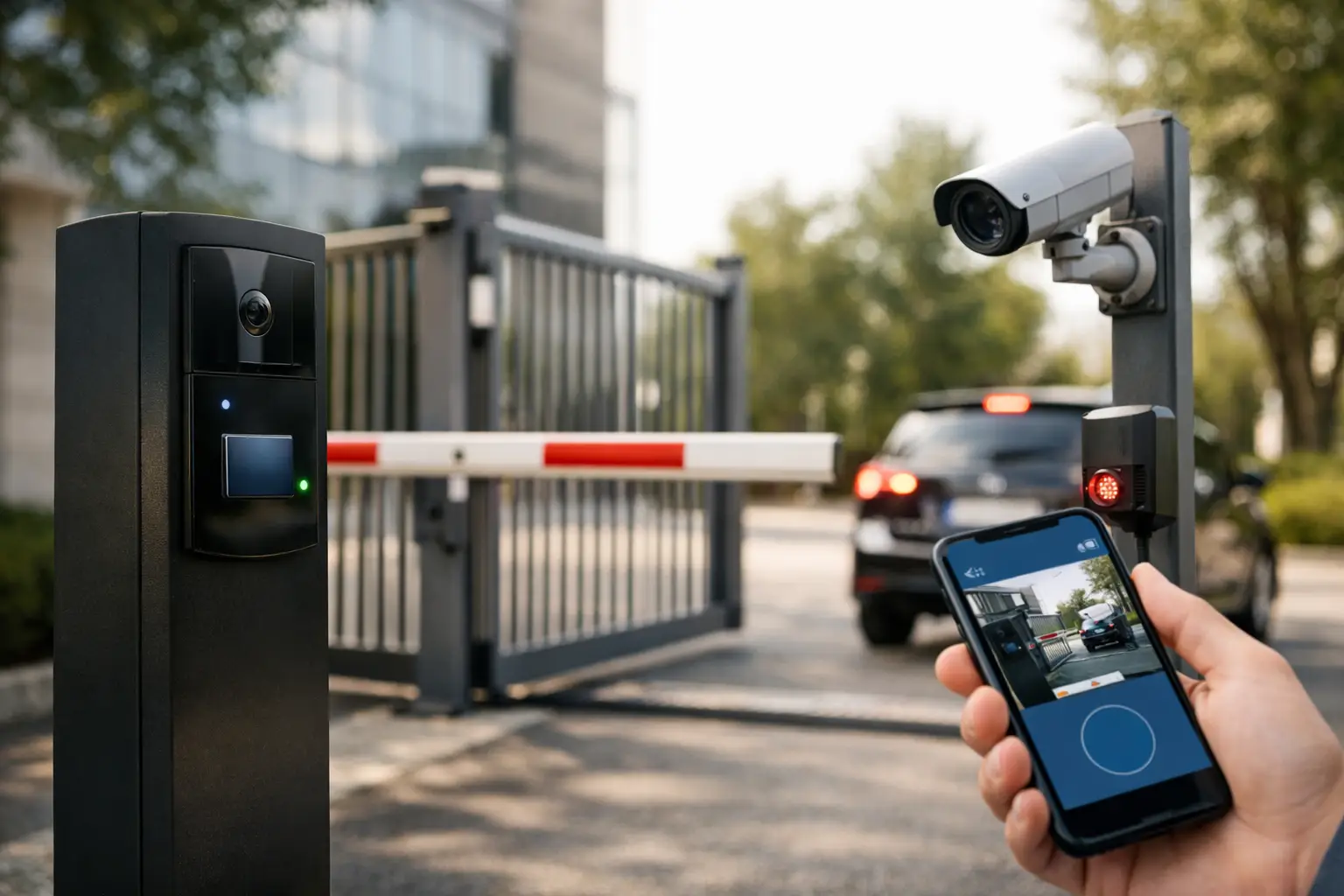
A gate should not require a resident, employee, or property manager to stop what they are doing every time someone arrives. When you automate gate access, the goal is simple: verify the visitor or vehicle, open the gate only when authorized, record what happened, and keep the entrance safe when power, weather, or daily traffic create complications.
For homes, gated communities, offices, warehouses, and multifamily properties, the right setup reduces manual work without creating a weak point at the perimeter. The equipment matters, but so does the operating plan behind it. A gate operator, keypad, camera, intercom, credential reader, and mobile app need to work as one controlled system rather than a collection of disconnected devices.
Start With the Entry Problem You Need to Solve
Gate automation should begin with the property workflow, not a product catalog. A homeowner may need to let family, cleaners, deliveries, and service providers in without sharing a permanent code. A commercial facility may need to separate employee entrances from visitor access, restrict after-hours entry, and create an audit trail for management.
Traffic volume is a major factor. A single-family driveway with a few daily arrivals has different requirements than a condominium entrance handling residents, guests, vendors, and delivery vehicles throughout the day. Higher-volume entrances need reliable opening cycles, clear visitor instructions, proper vehicle detection, and equipment selected for the expected duty cycle.
The gate type also affects the design. Sliding gates, swing gates, barrier arms, and overhead vehicle entrances each have different space, hardware, safety, and operator requirements. Before automation is added, the existing gate structure should be evaluated for condition, alignment, hinges or rollers, and movement. An access control system cannot compensate for a gate that binds, sags, or lacks required safety components.
Choose Credentials That Match the People Using the Gate
The most effective access system gives each user group an appropriate way to enter. Residents and employees usually benefit from credentials tied to an individual account, while visitors need a limited and easy-to-manage method of entry.
Mobile credentials are a strong fit for many modern properties. Authorized users can open a gate from a phone app or receive permission through a managed account. For property managers, mobile access can reduce the headache of rekeying remotes or changing shared codes after staff or tenants change. It also makes it easier to remove access quickly when someone no longer needs it.
Keypads remain useful, especially for visitors, contractors, and delivery personnel. The trade-off is that shared PINs can travel far beyond the people they were issued to. A better approach is to use unique, time-limited codes when the system supports them. A code for a dog walker, vendor, or short-term guest should not become a permanent path into the property.
Remote controls are familiar and fast, but they require organized administration. Each remote should be assigned, documented, and removed from the system when lost or no longer needed. For commercial sites and larger communities, card readers, fobs, windshield tags, or long-range vehicle credentials may provide better control than a large number of untracked remotes.
Use Intercoms and Cameras for Visitor Decisions
A credential system handles known users. An intercom and surveillance camera help manage everyone else.
Video intercoms allow a resident, receptionist, guard, or property manager to see and speak with a visitor before releasing the gate. Depending on the system, calls can be routed to an indoor station, a front desk, or an authorized mobile device. This is particularly useful for properties without a full-time attendant at the entrance.
Camera placement deserves careful planning. A camera should capture a usable view of the visitor, vehicle, and approach lane, not merely a broad view of the driveway. Lighting, sun angle, nighttime visibility, mounting height, and network reliability all affect whether recorded footage will be useful later.
For commercial and multifamily properties, video can support incident review and operational accountability. If a gate is held open, damaged, or accessed outside normal hours, management has a clearer record of what occurred. Cameras should support access control decisions, not replace them. A clear image does not prevent an unauthorized person from entering if the gate release process is poorly managed.
Build Safety Into Every Automated Gate System
Automated gates must be designed around safety as well as convenience. A vehicle gate is not a pedestrian entrance, and people should not be encouraged to walk through its travel path. Separate pedestrian access, visible signage, and properly placed controls reduce the chance of unsafe use.
Safety devices typically include photo eyes, monitored edge sensors, vehicle loops, and appropriate control settings. These components help detect vehicles or obstructions and prevent the gate from closing when it should not. The exact equipment depends on the gate type, location, operating conditions, and applicable requirements.
Florida weather adds practical considerations. Heavy rain, heat, humidity, lightning exposure, and storm debris can affect operators, sensors, power supplies, communications equipment, and underground connections. Proper enclosures, surge protection, drainage, conduit planning, and routine inspections help prevent avoidable downtime.
Do not treat gate safety as a one-time installation item. Photo eyes can become misaligned, loops can fail, hinges can wear, and vegetation can block sensors. A gate that opens normally but closes unpredictably is not operating correctly and should be serviced promptly.
Connect Gate Access to the Rest of the Property
The real value of automation comes from centralized control. A gate system can be integrated with access control, surveillance, alarm monitoring, smart home controls, and property management workflows where appropriate.
For a homeowner, that may mean receiving a video call from the gate, opening it for a trusted visitor, and reviewing the camera feed from one app. For a business, it may mean linking gate credentials to employee access permissions, reviewing entry events by user, and coordinating camera footage with door access records.
Integration should be purposeful. Adding every available feature can make a system harder to manage. The best design focuses on the actions that save time or reduce risk: managing credentials, verifying visitors, monitoring gate status, documenting entry activity, and responding when equipment needs attention.
Network planning is part of this work. Wireless connections can be useful, but distance, walls, landscaping, metal gates, and interference may limit reliability. In some cases, hardwired network connections or properly designed point-to-point wireless equipment are the better choice. A professional site review helps determine what the property can support before equipment is selected.
Plan for Power Loss, Service, and Daily Exceptions
A gate access system should have a clear plan for the situations that do not happen on a normal day. Power outages, internet interruptions, emergency access, stuck gates, lost credentials, and service vehicles all need an answer before they become urgent.
Battery backup may keep a system operating through short outages, but its capacity depends on traffic volume, gate size, and the connected equipment. Some properties also need a defined manual release procedure. That procedure should be limited to authorized people and documented so a gate is not left unsecured after maintenance or an emergency.
It is also wise to decide who can add and remove users. On a small residential property, the owner may manage access directly. At a commercial site or community, permissions may need to be divided among management, security staff, and maintenance personnel. Clear roles prevent the common problem of too many people having unrestricted administrative control.
Ongoing service is not optional for a system that controls the primary entrance to a property. Preventive maintenance can identify worn hardware, weak batteries, sensor issues, communication failures, and gate alignment problems before they interrupt traffic or create a security concern. For clients who want one point of coordination across access control, cameras, alarms, and connected property technology, 1 Stop Security can organize the system design and service process under one team.
Automate Gate Access With Control, Not Guesswork
A well-planned automated gate does more than open from a phone or keypad. It creates a controlled entrance that fits the property, its traffic patterns, and the people responsible for managing it. Start with who needs access, how visitors will be verified, what happens during an outage, and how the system will be maintained.
The right system should make arrivals easier for authorized people while giving owners and managers a clearer view of who is coming and going. That is the practical standard for gate automation: fewer manual interruptions, stronger oversight, and equipment that continues to perform when the property depends on it.