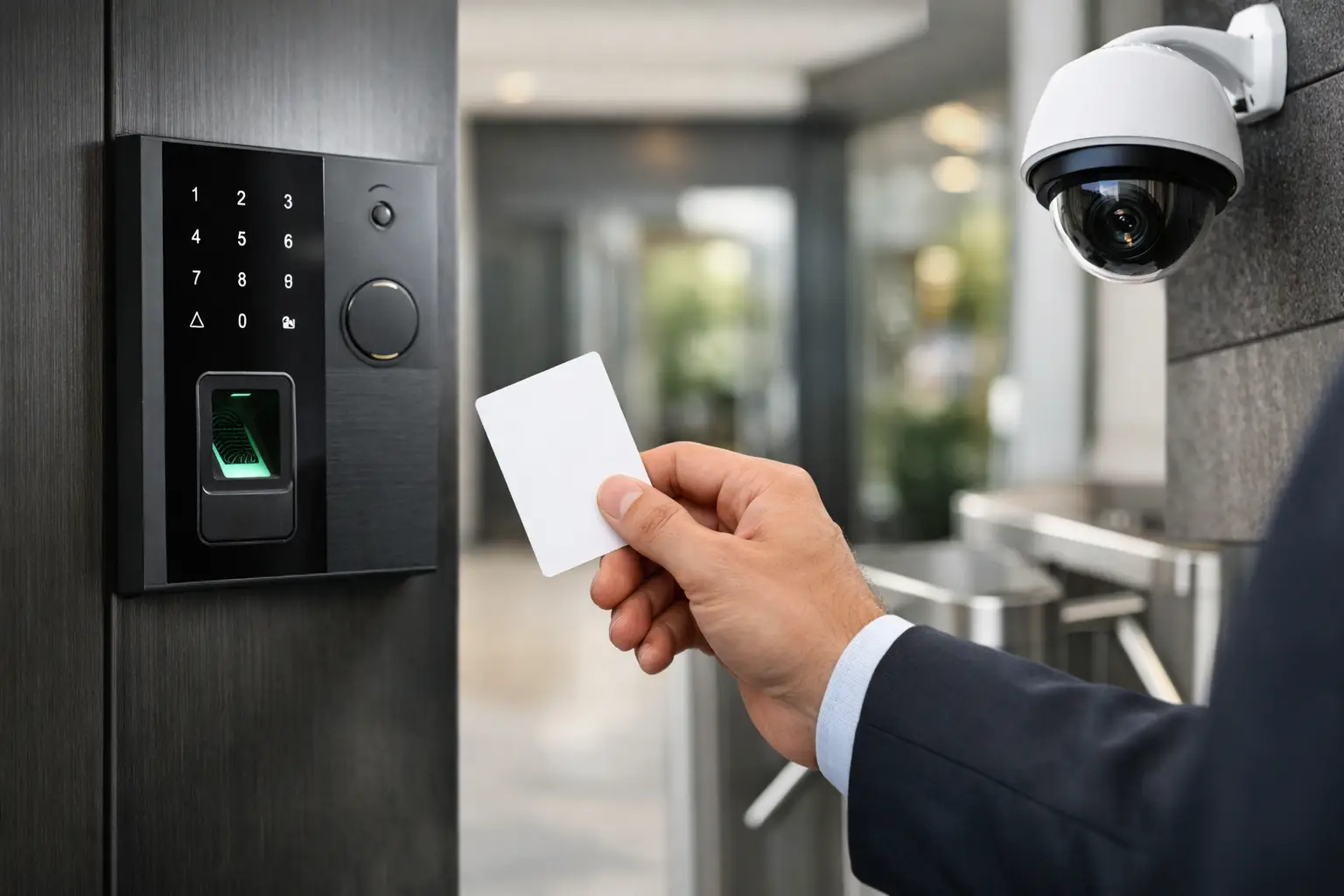
A front door is not the only door that matters. Side entrances, gates, package rooms, staff-only areas, storage closets, amenity spaces, and after-hours entry points all create different security and management requirements. Knowing how to choose access control starts with identifying who needs access, where they need it, and how much control you need after the system is installed.
The right system should make entry easier for authorized people and easier to manage for the person responsible for the property. For a homeowner, that may mean giving a dog walker temporary access without handing over a key. For a property manager, it may mean removing a former tenant or vendor from multiple doors in seconds. For a business, it may mean tracking access to sensitive areas without creating extra work for staff.
Start With the Doors and the Daily Workflow
Access control is not a one-size-fits-all purchase. Begin with a door-by-door review. List every opening you want to control, the people who use it, the hours they need access, and what should happen if there is a power or network interruption.
A main office entrance may need scheduled employee access during business hours and visitor entry through an intercom after hours. A rear service door may only need access for a small group of employees. A community gate may need resident credentials, mobile entry for guests, and a way for delivery drivers to request access. These are separate workflows, and they may not require the same reader, lock hardware, or rules.
Door construction also affects system design. A glass storefront door, metal-framed door, wood door, pedestrian gate, elevator, and vehicle gate each require compatible locking hardware and installation methods. Existing door condition matters too. A reliable access system depends on properly aligned doors, functional closers, suitable power, protected cabling, and code-compliant egress.
Before selecting a platform, separate the doors that need controlled entry from doors that only need to remain secure. That prevents overspending on features where a simpler solution is enough.
How to Choose Access Control by User Type
The number and type of users should shape the system. A single-family home with a few household members has very different needs than a medical office, multifamily building, school, warehouse, or commercial property with rotating contractors.
For a home, convenience usually drives the decision. Mobile credentials, keypad codes, video intercoms, and smart-home integration can make daily entry simpler. The goal is to avoid dependence on physical keys while keeping control in the homeowner's hands.
For a business or managed property, administration becomes more important. Consider how often people are hired, terminated, moved between areas, or given temporary access. A system should let authorized managers add and remove users without waiting for a locksmith or replacing keys. It should also support distinct permission groups, such as employees, managers, vendors, cleaning crews, residents, and visitors.
Ask a practical question: who will administer the system on a normal Tuesday afternoon? If the answer is a property manager or office administrator, the software should be clear enough for that person to manage routine changes. Technical features have limited value if every small update requires a service call.
Choose Credentials That Fit the Property
Credentials are the method people use to enter. Common options include key cards, fobs, PIN codes, mobile credentials, biometric readers, and traditional keys used alongside electronic control.
Cards and fobs are familiar and work well in many commercial settings. They are quick to issue, but they can be lost, shared, or forgotten. PIN codes eliminate the need to carry a credential, though shared codes reduce accountability unless each user has an individual code.
Mobile credentials are a strong fit for many homes, offices, and managed properties because users already carry their phones. They can be issued remotely and removed quickly. However, mobile access depends on user adoption, device compatibility, and a clear plan for dead phone batteries or employees who do not use a smartphone.
Biometric access can add another layer of identity verification, particularly for restricted areas. It also raises privacy, cost, and user-comfort considerations. It is usually best reserved for locations with a clear security reason for it rather than used as a default feature.
Many properties benefit from a combination. For example, employees may use mobile credentials at exterior doors, while a keypad provides a backup entry method for approved staff. The best choice is the one that matches daily behavior without creating avoidable exceptions.
Decide How Much Visibility You Need
Some access control systems simply lock and unlock doors. Others record events, send alerts, manage schedules, support remote unlocks, and tie into video surveillance, alarms, intercoms, elevators, gates, and building automation.
Visibility is valuable when it supports a real operating need. A business owner may want to know whether a side door was propped open. A property manager may need an event history when investigating a resident complaint. A homeowner may want a notification when a child arrives home from school.
Do not assume that more reporting always means better security. Event logs are only useful if someone reviews them when needed. Focus on the alerts and reports that help staff respond: forced-door alerts, door-held-open alerts, failed-entry attempts, access changes, and after-hours entry activity are often more useful than a long list of routine transactions.
If video cameras are part of the property plan, ask whether door events can be associated with video footage. When a door is accessed, being able to quickly review the related camera view can reduce the time required to investigate an incident.
Consider Cloud, Local, and Hybrid Management
Cloud-managed access control gives authorized users the ability to manage access from a web portal or mobile app. It is often a good option for owners and managers who oversee multiple locations or need to make changes away from the property. Updates, user management, and audit trails are generally easier to centralize.
A locally managed system may suit a single site with limited administrative needs, especially where an organization prefers to keep management on-site. Hybrid systems can combine local functionality with remote management features.
The trade-off is not simply cloud versus local. Ask what happens when internet service is interrupted. Properly designed access control doors should continue to operate according to their programmed permissions during a temporary network outage. The remote management portal may be unavailable, but authorized users should not be locked out because the internet drops.
For Florida properties, power resilience deserves the same attention. Confirm the plan for battery backup, surge protection, protected equipment placement, and recovery after outages. Coastal environments, heat, humidity, and frequent storms can affect equipment selection and long-term service needs.
Plan for Integrations Without Overcomplicating the System
Access control works best when it supports the rest of the property rather than operating as an isolated system. Depending on the site, useful integrations may include video surveillance, intrusion alarms, visitor management, intercoms, automatic gates, elevator controls, and smart-home automation.
A commercial building may use access permissions to limit elevator access to specific floors. A residential community may use an intercom to call residents and trigger a gate release. A homeowner may want a smart lock, camera, and alarm notification managed through a coordinated setup.
Still, integrations should solve a defined problem. Combining unrelated systems just because they can communicate may create a harder system to support. Identify the functions you want before choosing a platform, then confirm that the equipment and installation plan can support them reliably.
Review Installation, Life Safety, and Ongoing Support
Access control is not only a software decision. The hardware at the opening and the quality of installation determine whether the system works consistently over time. Poor door alignment, weak power design, exposed wiring, or incorrect lock selection can lead to nuisance problems and security gaps.
Life safety requirements must be addressed at every controlled opening. People need to exit safely during emergencies, and the door hardware must work with the building's use, occupancy requirements, fire-rated assemblies, and local codes. This is especially critical for commercial spaces, multifamily properties, and gates that control vehicle or pedestrian movement.
Before moving forward, clarify who handles installation, programming, user setup, training, documentation, and future service. You should know who to contact when a credential needs to be changed, a door begins behaving differently, or the property expands. A single-source provider can simplify those responsibilities by coordinating access control with cameras, alarms, intercoms, and other low-voltage systems.
Build for the Next Change, Not Just the Current Need
A system that fits today can become restrictive quickly when a business adds staff, a property manager takes on another building, or a homeowner adds a gate or detached workspace. Choose a platform with enough capacity for expected growth, but avoid paying for enterprise-scale features that the property will never use.
Ask whether additional doors, users, cameras, or locations can be added without replacing the core system. Confirm the cost of licenses, credentials, service visits, and replacement hardware so the long-term budget is clear. The lowest installation price is not always the lowest ownership cost.
The right access control system should reduce key management, improve accountability, and give the right people entry without slowing down the property. Start with real doors, real users, and real daily routines. That approach produces a system that stays organized when the next employee, tenant, vendor, or property change arrives.