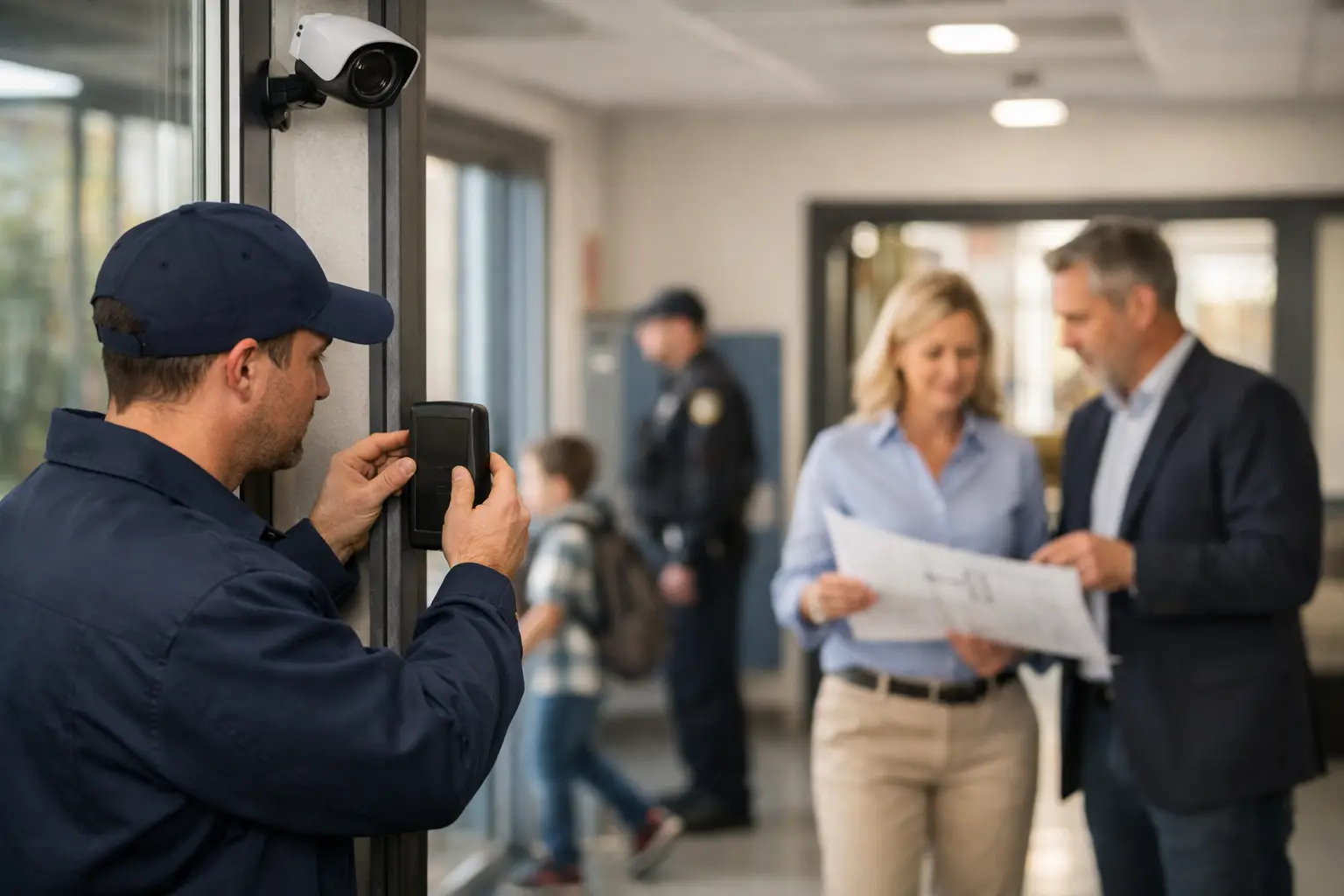
The front office should not have to guess who is at the door, and a facilities team should not need five separate logins to understand what happened after an incident. A school security retrofit addresses those gaps by updating the systems a campus already has, then organizing them into a practical security operation. The goal is not to turn a school into a fortress. It is to give staff clearer control of entry, faster visibility during an event, and systems they can operate every day.
For schools in Florida, retrofit planning also has to account for aging buildings, open-air walkways, multiple portable classrooms, high humidity, storm exposure, and busy arrival and dismissal periods. A good project starts with the campus workflow, not a catalog of devices.
When a School Security Retrofit Is the Right Move
A retrofit makes sense when existing security equipment is unreliable, disconnected, difficult to manage, or no longer aligned with how the campus operates. Many schools have cameras that record but do not provide useful coverage at critical entrances. Others have access-controlled doors without a consistent credential policy, or an intercom at the front entrance that does not provide clear visitor verification.
Replacement is not always the answer. Existing cable pathways, door hardware, network infrastructure, and some cameras may still be usable. Reusing viable infrastructure can control project costs and reduce disruption. But keeping older components simply because they are already installed can create a system that is hard to service, difficult to expand, and inconsistent for staff.
The practical question is not, “What is the newest technology?” It is, “Where does the current operation break down?” That answer usually appears at visitor entry points, exterior doors that are used inconsistently, blind spots between buildings, and the handoff between a security event and staff response.
Start With a Campus Security Assessment
Before selecting hardware, map how people move through the property. Review arrival, dismissal, deliveries, after-hours activities, maintenance access, and emergency procedures. A campus can have strong equipment at its main entrance while leaving a side gate, gym entrance, or portable classroom area poorly managed.
A site assessment should document doors, gates, camera views, lighting conditions, network locations, electrical capacity, and existing low-voltage cabling. It should also identify who needs access and when. Teachers, office staff, custodial teams, vendors, parents, coaches, and community groups do not all need the same access rights.
The assessment should include the people who use the facility, not only the people who manage it. Administrators understand visitor procedures. Facilities teams know which doors are routinely propped open or difficult to secure. Front-office staff can explain where visitor check-in slows down. Those details determine whether a new system will be used correctly after installation.
Set priorities before setting a budget
A phased approach is often more effective than trying to upgrade every part of a campus at once. Priorities should be based on risk, operational value, and the condition of existing infrastructure. In many projects, the first phase focuses on four areas:
- Main entry management, including video intercoms, visitor communication, and controlled release of doors.
- Exterior access control for doors and gates that need scheduled or credential-based access.
- Camera coverage at entrances, parking areas, student pickup zones, hallways, and other verified blind spots.
- A central platform for authorized staff to review video, manage credentials, and receive system alerts.
This sequence is not universal. A school with a well-managed front office but poor exterior coverage may need cameras first. A campus with recurring unauthorized access through secondary doors may place access control at the top of the list. The plan should follow actual conditions, not a fixed package.
Build Access Control Around Daily Operations
Access control works best when it reduces administrative friction. Staff should be able to use a badge, card, mobile credential, or approved credential method without creating a bottleneck at every door. Administrators should be able to assign access by role, schedule access for events, and promptly remove access when personnel change.
Door hardware matters as much as the software. A credential reader cannot correct a door that does not latch, a frame that is misaligned, or a gate that is routinely left open. Each controlled opening needs a complete review of the lock, closer, exit hardware, power, wiring, fire and life-safety requirements, and emergency release behavior.
Schools should also avoid treating every door the same way. The front office may need real-time visitor verification. Staff-only doors may need scheduled access with door-held-open alerts. Delivery areas may need controlled access during limited hours. The right configuration depends on the function of each opening.
Use Video Surveillance for Verification, Not Just Recording
Cameras are most useful when they answer operational questions quickly: Who entered? Which direction did someone go? Is a gate open? What happened near the pickup line? A camera system should provide usable views, clear labeling, reliable recording, and an organized way for authorized users to locate footage.
Placement deserves more attention than camera count. A high-resolution camera mounted too high, pointed into glare, or blocked by landscaping can still fail to capture a usable image. Exterior cameras need proper weather-rated equipment and installation practices suited to Florida heat, rain, and wind. Interior views must be planned with privacy and policy requirements in mind, especially around sensitive spaces.
Retention requirements also affect design. Longer video retention may require more storage, better network planning, or a hybrid approach that balances local and managed storage. Decision-makers should define who can view live video, who can export recordings, and how access is documented. Centralized management improves oversight, but only when permissions are kept current.
Connect Systems Without Creating Complexity
The value of a retrofit increases when security systems share useful information. For example, an access event at a controlled door can be reviewed alongside the related camera footage. A video intercom call can allow office staff to see and speak with a visitor before releasing the entrance. Door alarms can notify designated personnel when a restricted opening is left unsecured.
Integration should have a clear purpose. Connecting every device to every platform can increase licensing costs, complicate training, and make troubleshooting harder. Start with the workflows that matter most: visitor entry, access administration, alarm response, video investigation, and after-hours management.
This is where a single-source low-voltage contractor can simplify execution. Instead of dividing responsibility among separate camera, access, network, and intercom vendors, a coordinated installation plan can organize cabling, equipment placement, configuration, testing, and service under one project structure. For school teams already managing tight schedules, that coordination is often as valuable as the technology itself.
Plan Installation Around the School Calendar
Security work can disrupt a campus if it is not carefully scheduled. Cable runs, door modifications, network changes, and equipment testing should be planned around student traffic, testing periods, events, and summer or holiday breaks. Some work can happen after hours, while other tasks require coordination with facilities and IT staff during normal operations.
A proper installation plan identifies what will be completed in each phase, which areas will be temporarily affected, and how the school will maintain secure operations while work is underway. It should also include acceptance testing. Every controlled door, camera view, alert, user role, and intercom station should be verified before project closeout.
Training is not an optional final step. Front-office staff need to know how to verify visitors and release a door. Administrators need to manage credentials. Facilities teams need to recognize common door and hardware issues. Designated personnel need a clear process for reviewing video and requesting service. A system that is technically functional but poorly understood will not deliver consistent results.
Make Service and Maintenance Part of the Retrofit
Security systems change as schools change. Staff turnover, new programs, construction projects, seasonal events, and shifting access needs all affect the original configuration. Ongoing service should include periodic reviews of user permissions, camera performance, door operation, storage capacity, software updates, and alert settings.
Maintenance is particularly important for exterior equipment and door hardware. A camera lens can become obstructed, a gate can drift out of alignment, and a door closer can create access-control problems long before a complete failure occurs. Regular checks help identify these issues before they affect daily operations.
A school security retrofit should leave the campus more organized, not more dependent on individual workarounds. When staff know who can enter, how visitors are verified, where coverage exists, and who to call for support, security becomes a manageable part of the school day rather than a constant source of uncertainty.