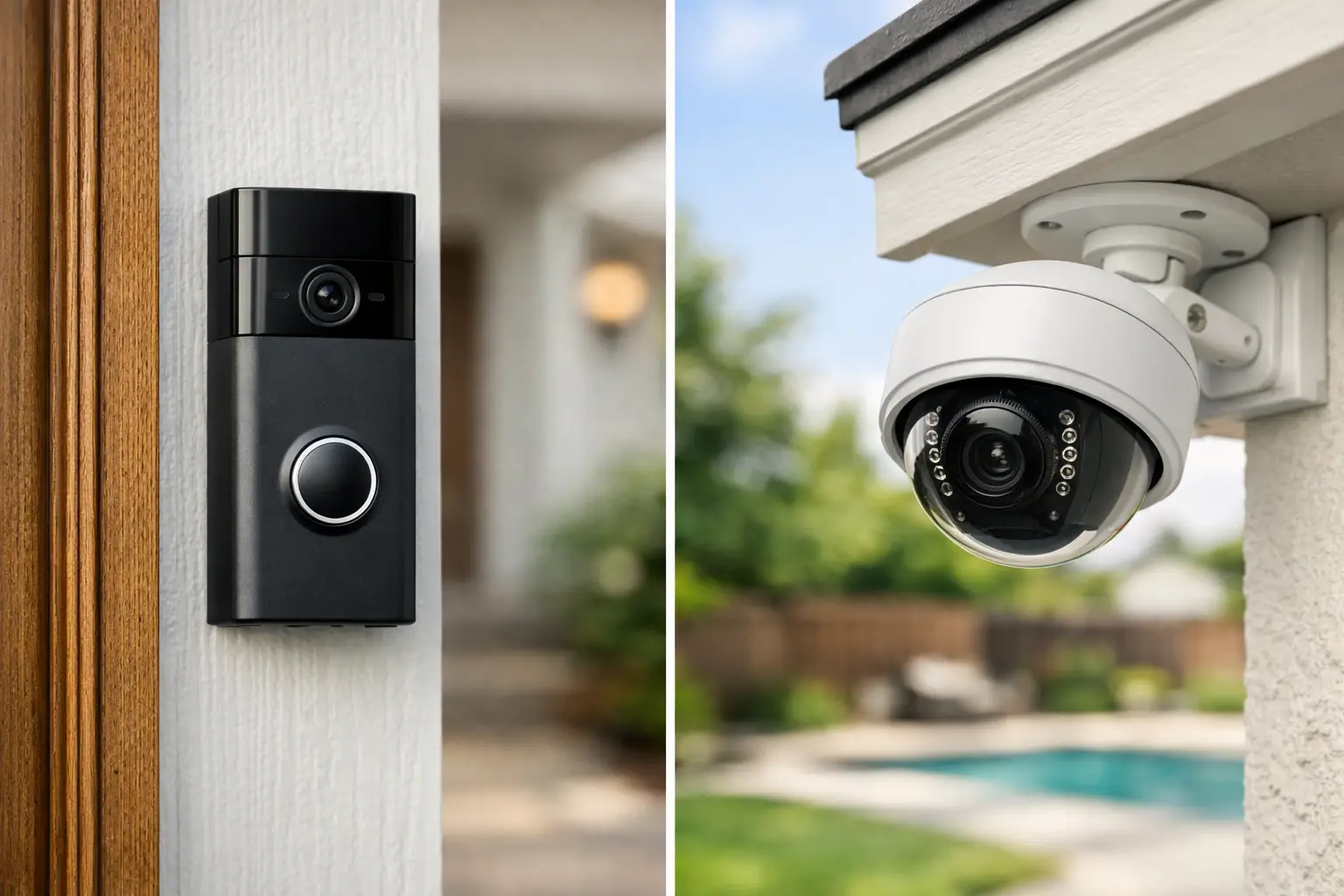
A delivery arrives while you are at work. A visitor approaches the front entrance after hours. A vehicle pulls into a side lot that no one can see from the office. The video doorbell vs security camera decision comes down to which of these moments you need to capture, how much area needs coverage, and who needs to respond.
For many properties, this is not an either-or decision. A video doorbell handles the front-door interaction. Security cameras document activity across the rest of the property. The right system starts with the property layout and operating needs, not with the device that happens to be most popular.
Video Doorbell vs Security Camera: The Core Difference
A video doorbell is an entry-point device. It is designed to show who is at a specific door, send an alert when someone approaches or presses the button, and allow two-way conversation through a mobile app or connected indoor device. Its primary job is visitor management.
A security camera is a coverage device. It can watch driveways, gates, parking areas, hallways, loading zones, side yards, pool areas, and other locations where activity matters but no one will ring a doorbell. Cameras are available in fixed, panoramic, pan-tilt-zoom, indoor, and outdoor configurations, giving them a broader role in a complete surveillance plan.
That difference affects every practical consideration: field of view, power requirements, recording options, alert volume, and installation location. A doorbell camera is focused on the threshold. A security camera is focused on the property.
When a Video Doorbell Is the Better Choice
A video doorbell makes sense when the front door is your main concern. For homeowners, that often means knowing when a package has arrived, checking on unexpected visitors, or speaking to a contractor without opening the door. For small offices, retail storefronts, and managed properties, it can help staff screen visitors and direct deliveries.
Two-way audio is the main advantage. A standard camera may show that someone is at the door, but a video doorbell is built for interaction. You can ask a delivery driver to leave a package in a safer location, tell a visitor where to go, or confirm that a service provider has arrived.
Doorbells also provide a clear, purpose-built alert at a location that matters. Instead of reviewing a general motion event from a broad camera view, you receive a notification tied directly to the entrance. This can reduce uncertainty when someone approaches the property.
There are limits. Most video doorbells have a relatively narrow role and a fixed viewing angle. They may capture a visitor at the entrance but miss someone approaching from the side, a vehicle in the driveway, or activity near a gate. Doorbell cameras can also generate frequent alerts on busy sidewalks, shared corridors, or entrances near the street.
For multi-tenant properties, installation requires additional planning. A device at a shared entry may need to serve several users, comply with property rules, and work with existing access controls. A single consumer-grade doorbell is not always the right answer for a managed building.
When a Security Camera Is the Better Choice
Choose security cameras when the priority is surveillance beyond the front door. A properly placed camera can cover a long driveway, detached garage, rear entrance, perimeter fence, parking lot, warehouse aisle, or common area. This is especially useful when no one is expected to interact with the person or vehicle being recorded.
Cameras offer more flexibility in placement and design. A fixed turret camera may be appropriate for a front walk. A wide-angle camera may cover a lobby. A camera with optical zoom may be better for a large commercial lot where identifying activity at a distance matters. The best type depends on the coverage objective, lighting conditions, and distance to the subject.
For businesses and facility operators, cameras also support operational oversight. They can help verify deliveries, review incidents, monitor restricted zones, and document activity outside business hours. A video doorbell cannot replace coverage at employee entrances, loading docks, rear exits, or equipment areas.
Recording is another major consideration. Many standalone doorbells and cameras rely heavily on cloud subscriptions. A professionally designed camera system can use local network video recording, cloud storage, or a combination of both. Local recording may provide greater control over retention periods and footage management, while cloud services can simplify remote access and off-site backup.
In Florida, outdoor camera selection matters. Heat, humidity, heavy rain, salt exposure near coastal areas, and frequent storms can affect reliability. Outdoor-rated equipment, secure mounting, weather-protected connections, and correct network design are not minor installation details. They determine whether the system performs when it is needed.
Coverage Matters More Than Device Count
A common mistake is assuming one camera at the front door provides complete protection. It does not. The front entrance is only one path onto a property. A home may also have a driveway, garage, side gate, rear patio, or pool access. A business may have customer entrances, staff entrances, storage areas, parking, and delivery zones.
Start by identifying the places where people enter, leave, park, receive goods, or access valuable equipment. Then consider what you need to see at each location. Do you need a face at close range? A license plate at a driveway? General awareness in a parking area? A record of who entered a secured hallway?
This approach prevents blind spots and avoids overspending on devices that duplicate the same view. It also helps determine whether a video doorbell, a security camera, or both belong at a specific location.
Installation and Connectivity Considerations
Battery-powered video doorbells can be convenient, but convenience has trade-offs. Batteries need charging, performance can vary with usage and temperature, and recording settings may be limited to preserve power. Hardwired doorbells usually offer more consistent operation when compatible wiring is available.
Security cameras can be wireless or wired. Wireless cameras may work well for limited applications, but they depend on stable Wi-Fi coverage and nearby power. In larger homes, commercial sites, concrete construction, or properties with multiple buildings, Wi-Fi can become a weak point.
Wired cameras using Power over Ethernet are often the more dependable option for permanent surveillance. One cable provides power and network connectivity, which simplifies device management and reduces reliance on batteries or individual power outlets. The installation takes more planning, but the result is generally better suited for continuous use and centralized recording.
For property managers and business owners, centralized access is often more valuable than app convenience alone. Authorized users may need different levels of access, footage may need to be retained for a defined period, and system health should be monitored before an incident exposes a problem. These needs favor an integrated system rather than a collection of unrelated devices.
Privacy, Alerts, and Daily Usability
More notifications do not automatically mean more security. A camera pointed at a busy street, neighboring property, or high-traffic corridor may create so many motion alerts that users begin ignoring them. Proper placement, motion zones, person or vehicle detection, and schedule settings help make alerts useful rather than disruptive.
Privacy should be addressed during design, not after installation. Cameras should focus on the areas your property needs to protect. Avoid unnecessary views into neighboring homes, private spaces, restrooms, or areas where recording is inappropriate. Commercial properties should also establish clear policies for who can access footage and how long recordings are retained.
Audio recording is another point to review. Rules can vary by location and application, particularly in workplaces and shared properties. A professional installer can help configure equipment appropriately, but owners and operators should understand their responsibilities before enabling features.
The Best Setup Is Often Both
For a typical home, a video doorbell at the main entrance paired with cameras at the driveway and rear access points provides a practical starting point. Add coverage based on the layout, such as a side gate, detached structure, or pool area.
For a business, the equivalent approach may include a doorbell or intercom at the public entrance, cameras at employee and delivery doors, and broader surveillance for parking, inventory, and common areas. If access control, alarms, and surveillance are planned together, the system is easier to operate and expand.
1 Stop Security helps property owners and operators organize these decisions into one coordinated installation instead of piecing together disconnected devices. The goal is not to place a camera everywhere. It is to create dependable coverage where it changes your ability to see, respond, and manage the property.
Before buying a device, walk the site at the times when visibility is most difficult: after dark, during rain, when deliveries arrive, and when the property is empty. The right choice becomes clearer when you plan for the real activity at your doors, driveways, and access points.